
How To - Homebrew

Homebrew
The Missing Package Manager for macOS (or Linux)
Brew Documentation - https://docs.brew.sh
Pre-requisite
First we need to install XCode command line tools, this we can do by opening a terminal and executing below command:
xcode-select --install
Installing Homebrew
We can now install the homebrew by opening a terminal and executing below command:
/bin/bash -c "$(curl -fsSL https://raw.githubusercontent.com/Homebrew/install/HEAD/install.sh)"
Verifying Homebrew Install
brew doctor
Listing Homebrew Commands
brew commands
Homebrew Help
brew help [COMMAND]
List installed Formulas
brew list
Search for a Formula
brew search tree
Describe a Formula
brew desc tree
Install a Formula
brew install tree
Show Detail Information on a Formula
brew info tree
Show a Installed Formula's Dependencies
brew deps tree
Show the homepage of an Formula
brew home tree
Upgrade a Particular Formula
brew upgrade tree
Uninstall a Formula
brew uninstall tree
Clean Old Formulas
brew cleanup
Search for a Cask
brew cask search visual-studio-code
Installing Desktop/GUI Application
brew cask install visual-studio-code
Uninstalling Desktop/GUI Application
brew cask uninstall visual-studio-code
Update Homebrew Catalog
brew update
Upgrade Homebrew
brew upgrade
Uninstall Homebrew
We can uninstall the homebrew by opening a terminal and executing below command:
/bin/bash -c "$(curl -fsSL https://raw.githubusercontent.com/Homebrew/install/master/uninstall.sh)"
GUI Search Options
- Go to the https://brew.sh

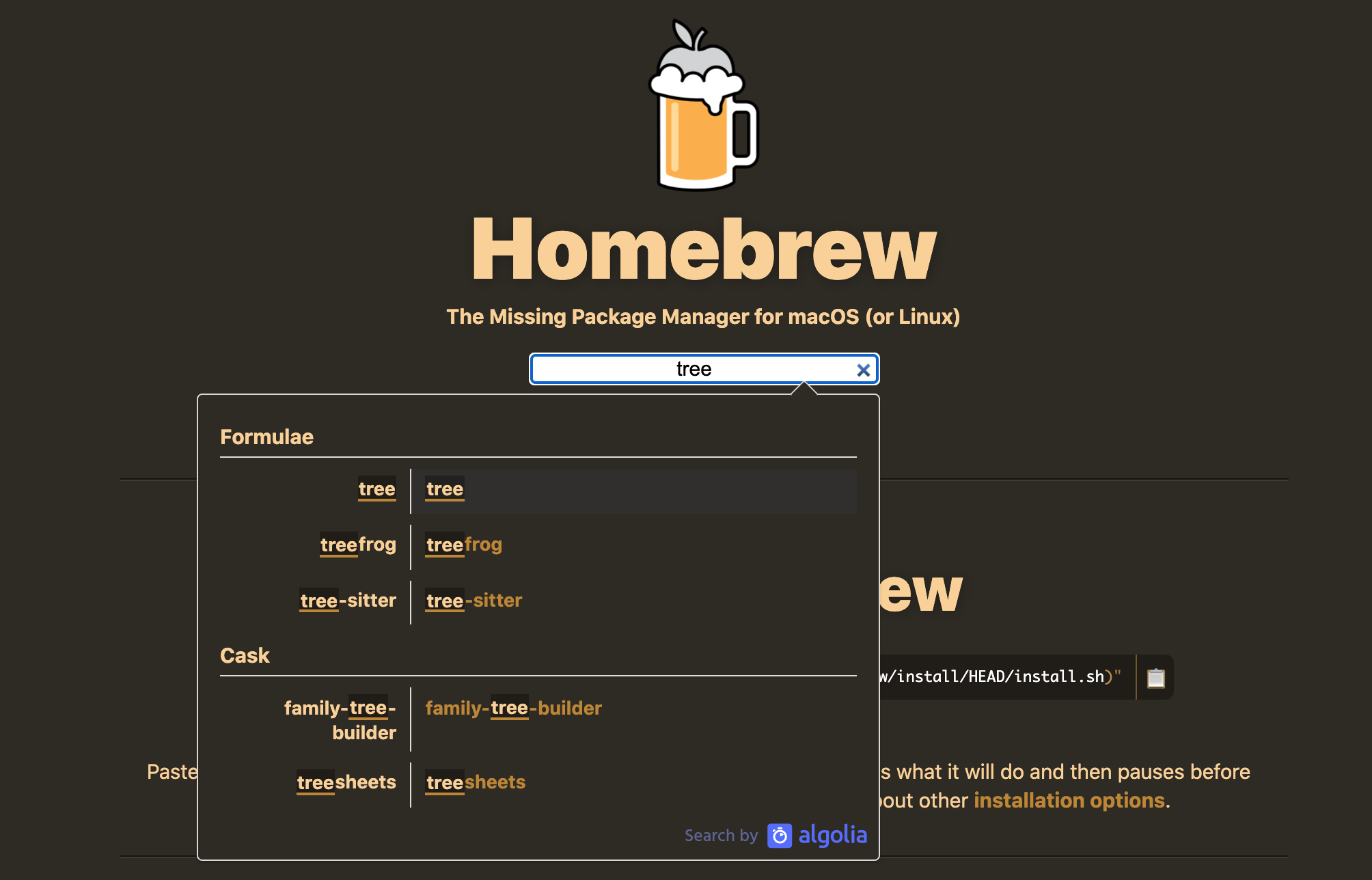
- Put the name of the application you are searching for in the search field, for example here we will write tree, as you type it will search and show results in a pop up
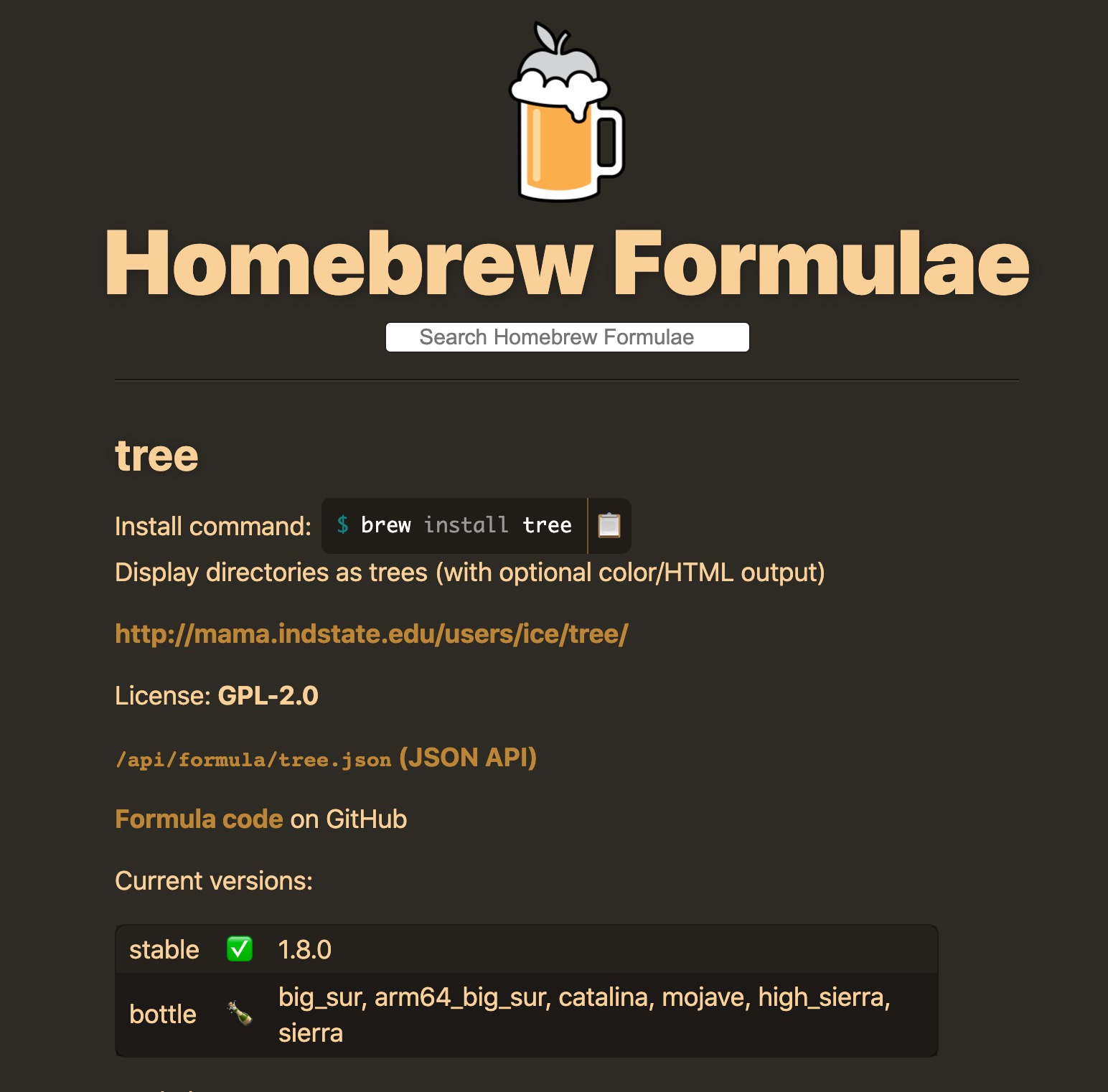
- Select the name of the application in the pop up for example here we will select tree which will show further details about tree like description, brew command to install it, its homepage, license and version information etc.
104 views